
Don't let your holiday rewards miss the people who earned them
A free six-step plan for sending end-of-year rewards and recognition that reach every employee, frontline included, without losing a week of HR time.


Four ways year-end recognition breaks, and the fix for each
Most teams don't lack good intentions. They hit the same four problems every December, and each one has a fix in the guide below.
of HR professionals already work beyond normal capacity, before a week of buying and packing gifts lands on top.
SHRMFix: send to everyone in one bulk order, not one box at a time Step 5as likely to say they'll quit within a year when employees don't feel recognized.
GallupFix: decide what the gift should say before you pick it Step 1of U.S. adults hold at least one unused gift card. With a standard gift card, that unclaimed value is budget you never see again.
Bankrate, 2024Fix: in Guusto, set a claim period and unclaimed value comes back to your budget Step 4frontline workers have access to communication tools at work, so email alone misses people.
UKG, 2025Fix: deliver by text or printed link, no account needed Step 2We once sent about 2,000 people the same basket, two bottles of wine included, without asking who actually drinks. Then came packing and shipping 2,000 boxes. At that scale, one gift for everyone turns into a rabbit hole.Put choice in their hands and you get a better return, right away.

What to do, and when
Work backward from your send date. Each stage links to the step that walks you through it.
- This weekLock the budget and the listAgree the amount per person, who it's from and who's included.Steps 1 and 2 →
- By mid-NovemberSet up, brand and testSet a claim period, turn on guest redemption and send yourself a test.Steps 3 and 4 →
- Early to mid DecemberSend in one orderUpload your list, personalize the message and schedule the send.Step 5 →
- JanuaryReport what landedShare redemption and returned value, then plan the rest of the year.Step 6 →
Swap the gift basket for a gift card they choose
Same budget. Less work for HR, and a gift every person actually uses. Use the switch to compare.



The same item or basket for everyone
Each person picks a gift card they'll use
Buying, packing and shipping, often for a week
One bulk order. We built and sent ours in under 15 minutes
You ship it or hand it out in person
Email, text or a printed link on shift
Gone for good when nobody claims it
Comes back to your budget when the claim period ends
No way to know if it landed
See who's claimed and follow up
Not everybody liked a crystal bowl. Not everybody liked a pair of binoculars. People really wanted to pick things that were special to them, and Guusto let us do that.

Run your year-end program in six steps
Open a step, watch the short video and work through the checklist. Step 1 is where most of the work is, so start there.
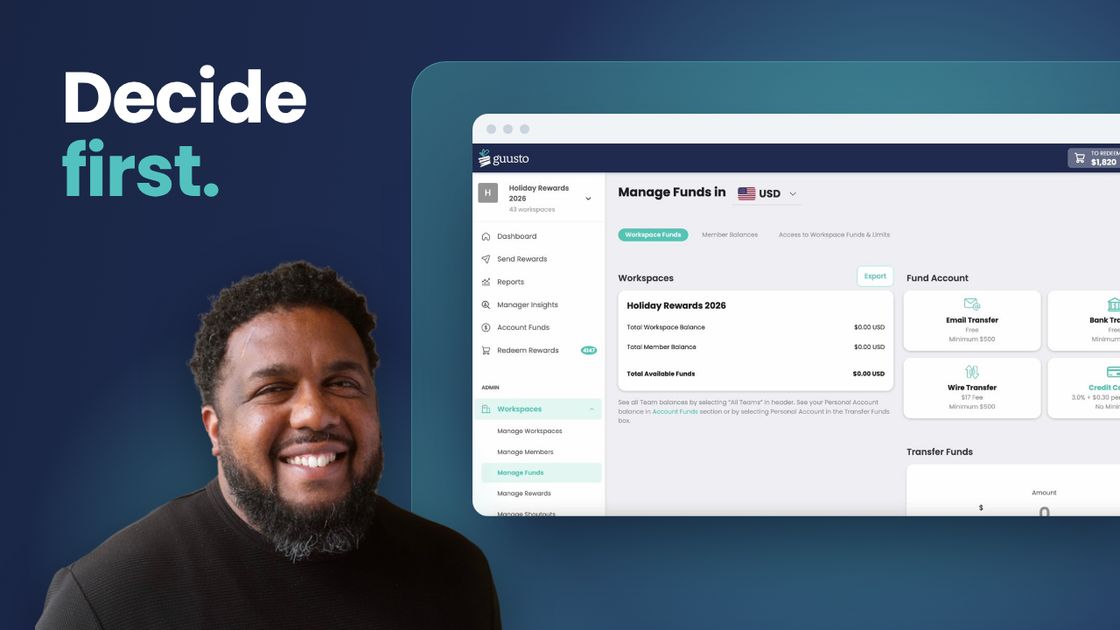
The setup takes minutes. The decisions take longer, so lock these four before you open any tool.
Finish this step with a one-page plan (budget, sender, send date and success measure) that finance can sign off on before you build anything.
The actual setup isn't what takes time. The decisions are.
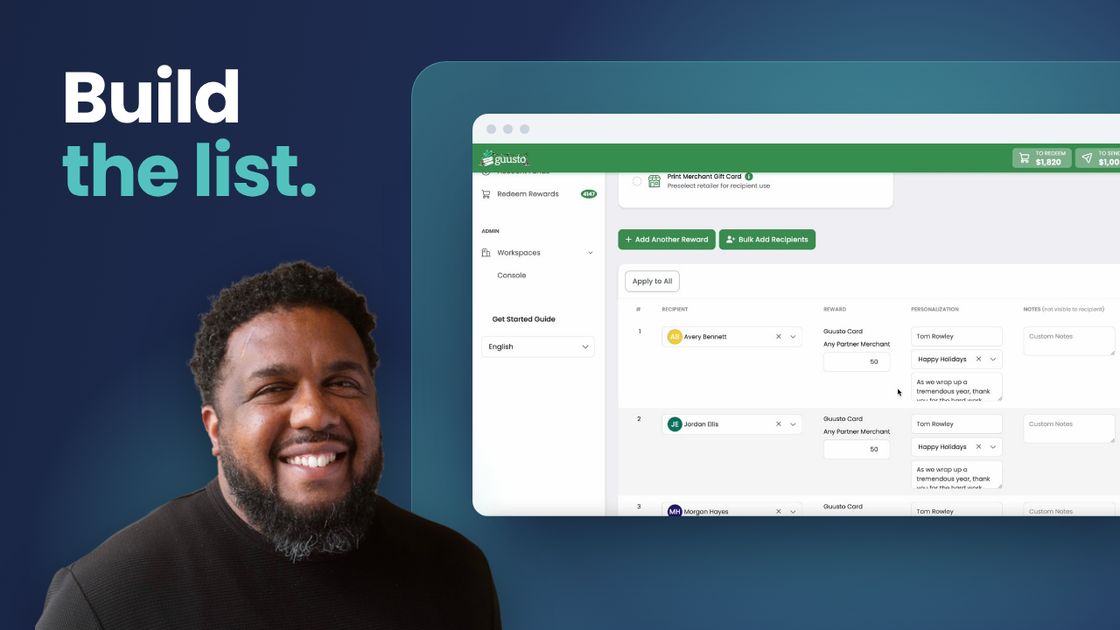
Part-time, seasonal and frontline staff are the easiest to miss, and many don't have a work email.
Finish this step with one clean list covering every site, shift and contract type, so nobody finds out they were left off after gifts go out.
Tip: fund the full amount up front: recipients × gift value. The walkthrough came up short and had to trim the list.
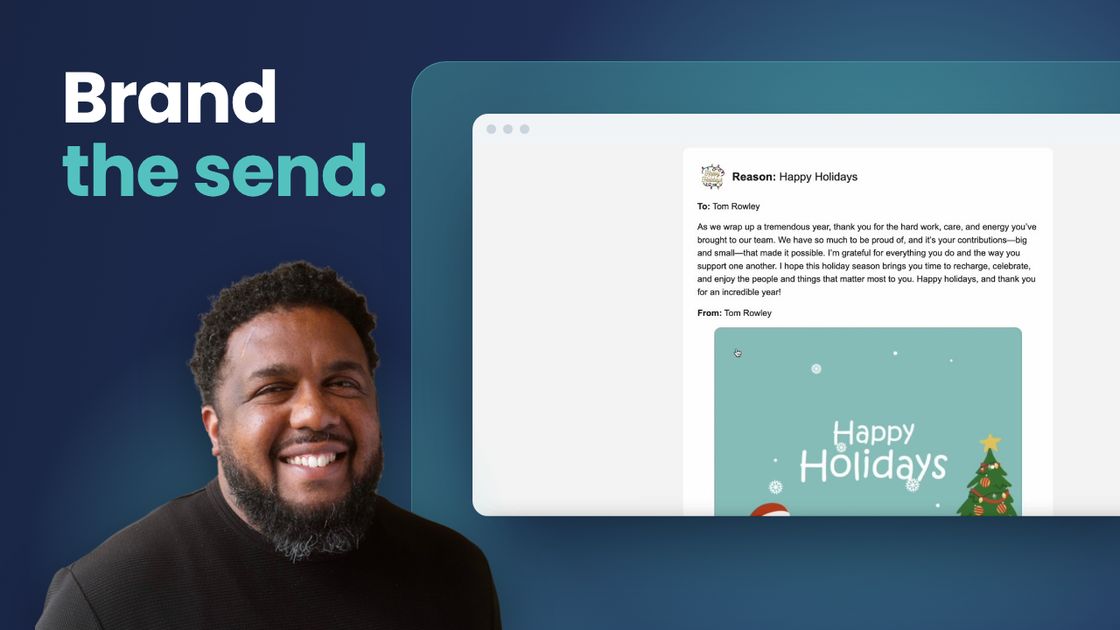
The gift is each person's choice. The experience should look like your company and take as few steps as possible.
Finish this step with a branded gift you've opened on your own phone, so you know exactly what employees will see.
If people have to go through four or five steps to get their gift, that erases a lot of the goodwill.
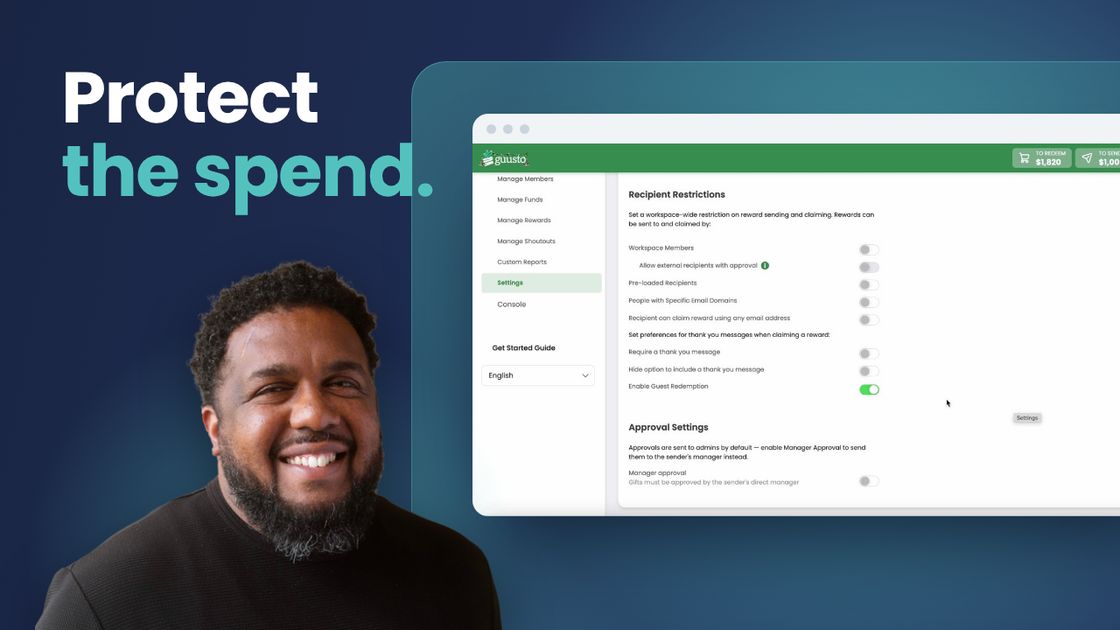
Unclaimed value should come back to you, and nobody should need a new account to redeem. 43% of U.S. adults are holding an unused gift card (Bankrate, 2024).
Finish this step with a claim period and guest redemption turned on, so unclaimed value comes back and nobody gets stuck creating an account.
For a holiday gift, a shorter claim period makes sense, so it's used during the season.
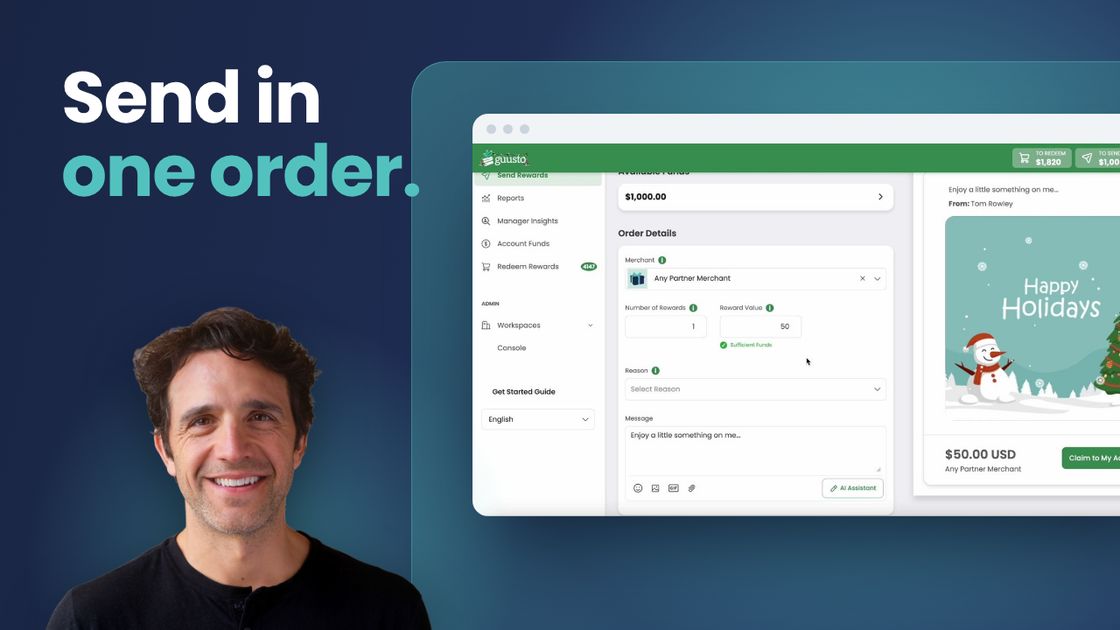
Keep the message warm and specific: thank people for the year, and acknowledge it honestly if it was a hard one. Skip the list of business results.
Finish this step with every gift sent or scheduled in one order, so HR spends minutes on the send instead of a week.
That was the whole list. You could do that for a couple thousand people.

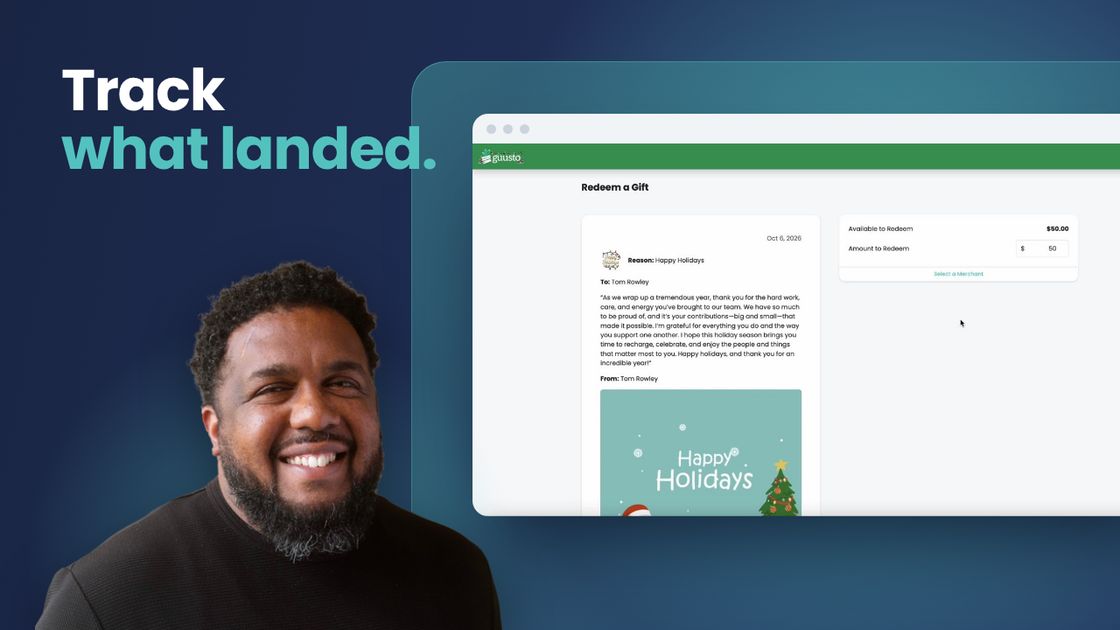
Unlike a box in the mail, you can see what happened. Watch claims in week one and follow up in week two.
Finish this step with a redemption and returned-value report, so you can show leadership what the program delivered and plan January.
If people aren't claiming, send a nudge.
redemption at Fortis Solutions Group, up from 40% with their previous provider
"That tells me there were barriers in the way."Cara Bongirno, Fortis Solutions Group
Don't plan December from scratch
Get the 10-page playbook: every decision, checklist and message template you need to run year-end recognition, ready to share with your team and finance partner.
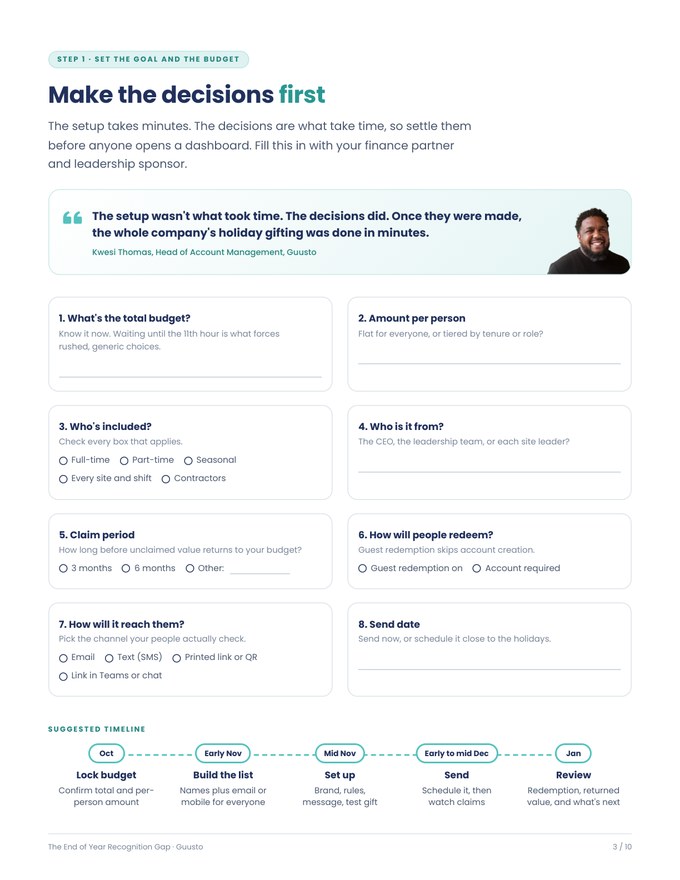
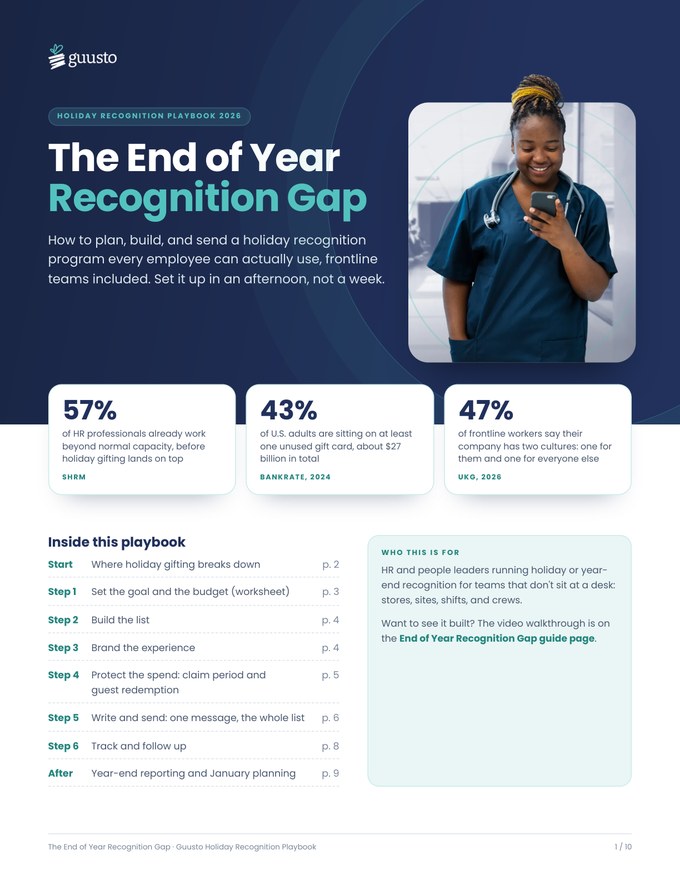
- A decisions worksheet to agree budget and timing with finance
- Setup and pre-flight checklists to catch mistakes before you send
- Message and reminder templates ready to paste
- A tracking plan for the weeks after you send
- A year-end reporting note to share with finance and payroll
Watch the full build, start to finish
Watch Guusto's team make every decision in real time, from a new account to a redeemed gift. Jump straight to the chapter you need.

- Joe FaccioloCo-Founder and CEO
- Kwesi ThomasHead of Account Management
- Cameron WaindLead Product Manager
- IntroWhy it's always a scramble
- Set the goal and the budgetChoice, budget and funding the account
- Build the listWho's on the list, at scale
- Brand the experienceLogo, colors and a holiday reason
- Protect the spendClaim period, guest redemption and the recipient view
- Write and sendOne message, a bulk order and delivery
- Track and follow upRedemption rates and unclaimed gifts
- The build, by the numbersWhat took the time
- Beyond the holidaysRecognition the rest of the year
Read the transcript
Intro
Joe: Pretty much every HR team knows that end of year recognition is a bit of a scramble. Our goal today is to show how we can help you fix that, live. Cam from our team is going to build a complete recognition program from a blank screen, and Kwesi, who has a tremendous wealth of knowledge, is going to call out the decisions behind every step Cam makes. By the end, you'll have watched the whole thing get built and you'll know exactly how to do it yourself.
Set the goal and the budget
Joe: What are your thoughts on just getting everyone a gift card, a gift basket or, like some companies I've heard of, a turkey?
Kwesi: There are times and places in an employee journey where it makes sense to do the same thing for everyone, but it very rarely lands right. Holiday celebrations are so personal that getting everyone the same thing never lands perfectly. Choice and flexibility: put that in their hands and you get a better return right away than deciding what it is and trying to distribute that thing to them.
Joe: One other thing you can do today is make sure you know what your budget is. A lot of companies know they want to do something, but they wait until the eleventh hour to figure out how much they have. If you know your budget today, you can get started tomorrow.
Kwesi: Otherwise you've spent budget on something people can't use, don't want to use, or that sits on a shelf. If the reward is flexible and easy to redeem, the gift actually lands and the budget isn't wasted.
Joe: Cam, let's fix it, starting from nothing.
Cam: To get started, we'll create a new workspace in Guusto. Think of it as the home of your holiday program: it's where you manage branding and budgets, and where you can add other members if they're helping send holiday rewards. We'll call it Holiday Rewards 2026. One of the first things to do is fund the account. Under Manage Funds there's a whole range of options. A credit card is probably the fastest way to get money in, but there are plenty of others if you don't want to use one. I'll put in $1,000. If you had funds in another workspace, say for spot awards or a peer-to-peer program, you could move them over too. Now we've got $1,000 loaded into the workspace.
Build the list
Joe: What does holiday gifting usually look like for the teams you talk to?
Kwesi: It runs the gamut. It depends on how big your team is, how you're doing it and where everyone's located. I've seen programs that are extremely manual: an EA or a team member is out in the world buying things, packaging them together and preparing for a holiday event, or trying to coordinate across locations and larger geographies. At scale, it's a whole different beast. You're gifting across people with different cultures, religions, beliefs and do's and don'ts, and it's often a much heavier process than you think.
Kwesi: Here's a real example. In a former lifetime, we sent about 2,000 people a basket. The idea was dinner: a pasta kit with instructions and two bottles of wine. That sounds great, but how many of those couple thousand people don't drink, for personal reasons, religious reasons or anything else? So we ran a survey to find out who wanted alcohol and who didn't. Then what about people who are gluten-free? You go down the list. And we still had to figure out how to package, mail and deliver a couple thousand packages. It's an onerous task, and a rabbit hole when you do this at scale.
Kwesi: With Guusto, you upload a list with each person, the amount and the message. That message can be as personalized as you like in the upload file, and it can be different for everyone receiving it.
Brand the experience
Joe: Why do you think branding matters for something like a holiday gift?
Kwesi: While we set up the branding, it's important that the message clearly ties back to the company. Giving people choice in the gift itself matters, but it's also important that it isn't just mail. It comes from the company's brand: the logo, the colors and a message that connects back to us. Then the reward itself is their choice.
Cam: Now we can do some customization. There are two parts: branding, and settings that make the program work exactly how you want around the holidays. On the branding side, we'll start with the logo. It shows up on every reward and in the header for anyone else with access to the workspace, so I'll choose a holiday version of our logo. Then a little color: green feels like a holiday color, so we'll use it for the header and the buttons. Next, a default gift image that shows up on the reward. All of this is optional, but it goes a long way toward aligning the program with your brand or the initiative you're running. From there, we recommend setting up a reason. We'll use Happy Holidays, since that's the program we're running, and give it a badge image that shows up on the reward. It's another chance to bring in your brand or, in this case, some holiday spirit.
Protect the spend
Joe: Next are the rules of the program, like a claim period, which is how long someone has to redeem before the credit goes back to the company, and whether to allow guest redemption, so people can redeem without creating an account. Kwesi, how should someone decide, and what's the thinking behind each one?
Kwesi: With Guusto, you can set the claim period, the length of time someone has to claim and use the gift. For a holiday gift, there's a good reason to make it shorter. We hope people use it during the holiday season, so a three or six month claim period means the reward gets used, not put on the back burner and forgotten. I'd recommend shorter rather than longer.
Cam: Guusto has some robust options for program design, and two really important ones are here. First, the claim period. When you place an order, funds leave your workspace balance and become claimable. We hope everyone accepts their holiday reward, but inevitably a few people won't, or they'll forget about it. A claim period sets rewards to expire, and the full amount returns to your workspace balance on that date. For this demo, we'll use three months.
Cam: The other feature, especially for a holiday program, is guest redemption, which is new to Guusto this year. With it on, recipients can claim and redeem the full amount without logging in to a separate or new account, almost like a guest checkout. That's a differentiator: a lot of digital reward providers ask recipients to log in to a new account. It's the holidays and a busy time of year, probably not the right time to introduce new technology, so guest redemption is a really effective tool if you're sensitive to that. We'll turn it on. With the claim period and guest redemption set, we're more or less ready to send.
Joe: When someone receives that holiday reward, what makes the redemption experience a make or break moment?
Kwesi: If there's a lot of friction, if I have to go through three, four or five steps to figure out how to get it, that immediately erases a lot of the goodwill. With guest redemption, it's click, choose, done. If people are creating an account, make sure that process is simple. You want few steps, real choice and, if they need support, access to world-class support that can get them to a resolution.
Cam: Here's the reward as the recipient sees it. I sent this one to myself. You've got the branding we set up earlier: the badge, the custom logo, the message, the gift image and the amount. Because guest redemption is on, the recipient can click through as a guest and redeem the full amount without signing up for Guusto, and without you creating an account for them. No extra hurdles.
Write and send
Joe: How do you think about creating one message that goes out to a thousand-plus people and still feels personal?
Kwesi: Doing it digitally with Guusto, the upload file lets you personalize the message. At scale, not every message can be written by an individual person, but you can call people out by name, and if you're good with mail merges or AI tools, you can make each message feel more personal, not one message that fits everyone.
Kwesi: Make sure it's warm. Celebrate the year that's been, and look forward to the year or the season to come. Don't make it feel like you're adding tasks, and don't make it a business laundry list of what you've done this year. Celebrate the good year you've had, or if it's been a challenging one, acknowledge the challenges and look forward to a positive year ahead.
Cam: Now we're about ready to send. In Guusto you can send from the dashboard one by one or in a small group, but today we'll do a bulk order so everyone gets theirs at once. I'll choose the amount, $50 for everyone, and the Happy Holidays reason we set up earlier. I could write a message here, but I've pre-written one in my CSV template. Next, I'll import the recipients: first name, last name, email and that message. Once it opens, everyone's loaded, with the reason selected, the message filled in and the amount set. For delivery, you can print the links or create digital links to share in a printed package, Teams or another channel. I'll use email and SMS, since that's the most direct way to reach recipients. I'll deliver these immediately, but you could schedule them closer to the holidays, in November or December. You can also change the language or notify managers. Then we'll proceed with the order.
Cam: Our delivery date is set for today, everyone's queued up for a $50 reward, and I'll confirm the order. Those rewards have now been sent.
Joe: And that's it. That was the whole list, and it was really that easy. You could have done that for a couple thousand people.
Track and follow up
Joe: When a company sends hundreds or thousands of holiday rewards, there can be some unease. You're about to press send on something that hits the entire workforce. What should the program's administrator keep an eye on in the weeks after they hit send?
Kwesi: Two things. First, redemption rates: are people actually clicking and using the reward you sent? If they aren't, you may need to send a nudge. Second, the claim period I described: you want to see people claiming their reward, not letting it go unclaimed. The great thing about doing holiday gifting through Guusto is that you can see what happens once it's sent. It's not like leaving a gift and driving off with no idea whether anyone found value in it. You can see that people are clicking, redeeming and using it, and often you'll start hearing the stories too. So watch redemption rates, and claimed and unclaimed gifts.
The build, by the numbers
Joe: Let's recap what was set up: a branded account, claim rules, a decision on guest redemption, and gifts sent and starting to be redeemed. So how long did the build itself actually take?
Kwesi: The actual setup wasn't what took time. The decisions did: branding, claim periods, how people redeem. Once those decisions were made, the whole company's holiday gifting was done in minutes.
Beyond the holidays
Joe: So your holiday gifting is done. What's next?
Kwesi: Once your account is set up, you can recognize your employees throughout the year without any heavy setup. We can create top-down, peer-to-peer and milestone programs, but sometimes you just need to send recognition for a sales incentive, a safety award, an appreciation day or a learning event. You can do that the same way you just did your holiday gifting: come in, load the employees and send.
Joe: What's one thing a leader can do this week so their holiday gifting goes more smoothly than it did last year?
Kwesi: Listen to your employees. From the feedback you got last year, you know they probably asked for more choice, and you probably heard stories about holiday gifts that didn't land. So lean into what you've heard: give them choice and make it simple.
Copy, paste and send
Pick a message, copy it into your upload file and personalize one line. The checklists keep the send clean. Everything here is also in the playbook.
What a year. Everything we got done happened because of people like you showing up, shift after shift. This is a small thank-you from all of us: pick something you'll enjoy. Happy holidays, and here's to an even better year ahead. {sender}
Text message versionHi {first_name}, a holiday thank-you from {company} is waiting for you. Pick a gift you'll enjoy, no account needed: {link}
This year asked a lot of all of us, and you kept going. We see that, and we're grateful. Please take this as a thank-you and choose something that makes your season a little easier. We're looking forward to next year together. {sender}
Text message versionHi {first_name}, thank you for sticking with us through a hard year. A holiday gift from {company} is waiting: {link}
Thank you for everything you did at {site} this year, especially {specific_moment}. The team noticed, and so did I. Enjoy this one on us, and have a great holiday season. {manager_name}
Text message versionHi {first_name}, thanks for all you did at {site} this year. {manager_name} sent you a holiday gift: {link}
While a lot of people get time off this season, you'll be keeping things running for our {customers_or_patients}. That doesn't go unnoticed. Here's a thank-you for every shift, including the ones over the holidays. Pick something that's just for you. {sender}
Text message versionHi {first_name}, thank you for working through the holidays. A gift from {company} is waiting for you: {link}
This is your first holiday season with {company}, and we're glad you're here. Thank you for jumping in the way you have. Here's a small welcome-to-the-team gift: choose whatever you'd enjoy most. {sender}
Text message versionHi {first_name}, welcome to your first holidays with {company}! A thank-you gift is waiting for you: {link}
I wanted to thank you personally. The year we had was built by people like you, in every store, site, and shift. Please enjoy this gift, pick whatever means the most to you, and have a restful holiday with the people you love. {ceo_name}, CEO
Text message versionHi {first_name}, a personal thank-you from {ceo_name} and everyone at {company}. Your holiday gift is here: {link}
| Setting | What it does | For holiday gifts |
|---|---|---|
| Workspace | Holds the budget, branding and anyone helping you send | One per program |
| Funding | Loads the budget by credit card, other payment options or a transfer | Fund the full order first |
| Branding | Logo, header and button colors, default gift image | Holiday version of your logo |
| Reason | Labels the gift and adds a badge | "Happy Holidays" |
| Claim period | Unclaimed rewards return to your balance when it ends | About 3 to 6 months |
| Guest redemption | Redeem without creating an account | On |
| Delivery | Email and SMS, printable links or copied links | Email + SMS, plus printed links |
| Scheduling | Sends on a date you choose | Early to mid December |
- Your balance covers recipients × amount
- Every row has a name and a working email or mobile number
- Part-time, seasonal and every site are on the list
- The message reads well with a real name in it
- You've sent yourself a test and opened it on your phone
- Site leaders know it's coming so they can mention it on shift
- Day 1Check deliveryFix bounced emails and wrong numbers.
- Days 3 to 5Check claims by siteAsk low-claim sites to mention it on shift.
- Week 2NudgeSend a reminder to anyone who hasn't claimed.
- Claim endReportShare redemption and returned value. Roll it into January.


Holiday gift cards for employees: common questions
What is a good holiday gift for employees?
A gift people choose themselves. Choice avoids the misses that come with baskets, alcohol, food and swag, and a gift card someone picked is one they'll actually use.
How do you send gift cards to employees in bulk?
Upload a CSV with each person's name, email or mobile number and message, choose the amount and reason, then send by email and text, as printable links, or as links you share in Teams. You can send right away or schedule a date.
How do you give gift cards to employees who don't have a work email?
Send by text to a personal mobile number, print the gift link and hand it out on shift, or share the link in a channel they already use. With guest redemption on, they don't need an account to redeem.
What happens to holiday gift cards employees never claim?
Set a claim period and any reward nobody claims by the end date returns in full to your workspace balance, so you keep the budget. For holiday gifts, about three to six months keeps the gift tied to the season.
Do employees need an account to redeem a digital gift card?
Not if you turn on guest redemption. Recipients click through and redeem the full amount, like a guest checkout, without signing up or logging in.
What about year-end reporting?
Guusto's reports show every reward you sent: who received it, how much and when, and whether it was redeemed. That makes it quick to pull what finance and payroll need at year end. How gift rewards are treated for tax depends on where you operate, so loop in your accountant or payroll team.
Is a holiday bonus or a gift card better?
They do different jobs. A bonus is compensation and often feels like part of pay. A gift with a personal message is recognition: it shows you noticed the person and the year they had. Many companies do both.
What should a holiday message to employees say?
Keep it warm and specific. Thank the person for the year, acknowledge a hard year honestly if it was one, and look ahead. Skip the list of business results, and personalize at scale with fields like first name and site in your upload file.
When should you send employee holiday gifts?
Plan in October and November, then schedule the send for early to mid December so it lands before people take time off. Check claims in the first week and send a reminder in week two.
How long does it take to set up holiday gifting in Guusto?
The setup itself takes minutes: in our walkthrough, the full narrated build ran under 15 minutes. Deciding the budget, who's included and the timing takes longer, so do that first.
Sources
- Bankrate, "Survey: 43% of Americans Have At Least One Unused Gift Card," Sept 2024. bankrate.com
- Gallup, "Employee Recognition: Low Cost, High Impact," 2016. gallup.com
- SHRM, 2023-2024 State of the Workplace Report. shrm.org
- UKG, More Perspectives from the Frontline Workforce, Oct 2025. ukg.com
- HR on the Frontline podcast (WRKdefined network): episodes with JD Dillon, Victoria Dew and Joey Price. wrkdefined.com
- IRS, Publication 15-B (2026). irs.gov
- Canada Revenue Agency, "Gifts, awards, and long-service awards." canada.ca
- Fortis Solutions Group and Rexall Pharmacy Group customer interviews with Guusto, excerpted.
- Quotes from Joe Facciolo, Kwesi Thomas and Cameron Waind, the CEO example and build times are from the End of Year Recognition Gap recording and product walkthrough, excerpted and lightly edited for clarity.